
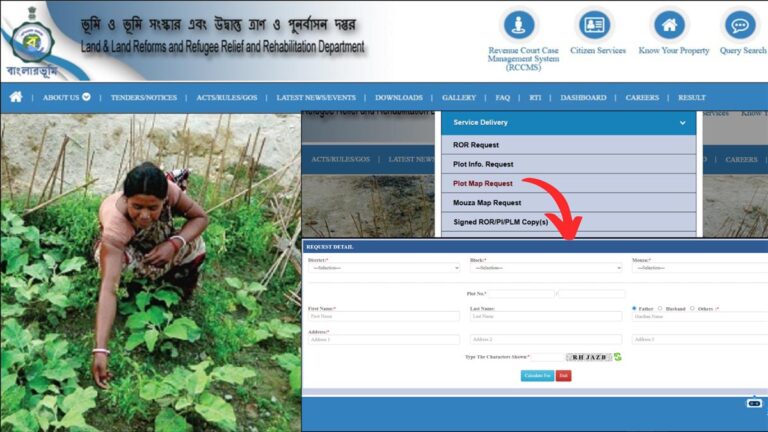
The Plot map is an important document that contains complete information regarding land are and measure of each side of the land.
This plot map or “Jomir Noksha” in Bengali, is available at the Land and Land Reforms Department of the West Bengal government.
– ADVERTISEMENT –
– ADVERTISEMENT END –
The West Bengal government has made it easier to request and download a plot map online through the BanglarBhumi portal.
In this article, you will get to know the following points about the West Bengal plot map online,
Let’s see each of these points in detail.
Details required to request and download plot map online
Before you can request a “plot map” online, you need to register as a citizen on the Banglarbhumi portal.
Click to know how to register as a citizen on the Banglarbhumi portal
In case you have already registered, proceed to the steps below.
Steps to request a plot map in West Bengal
To request a plot map online,
Step 1: Go to the official website and login
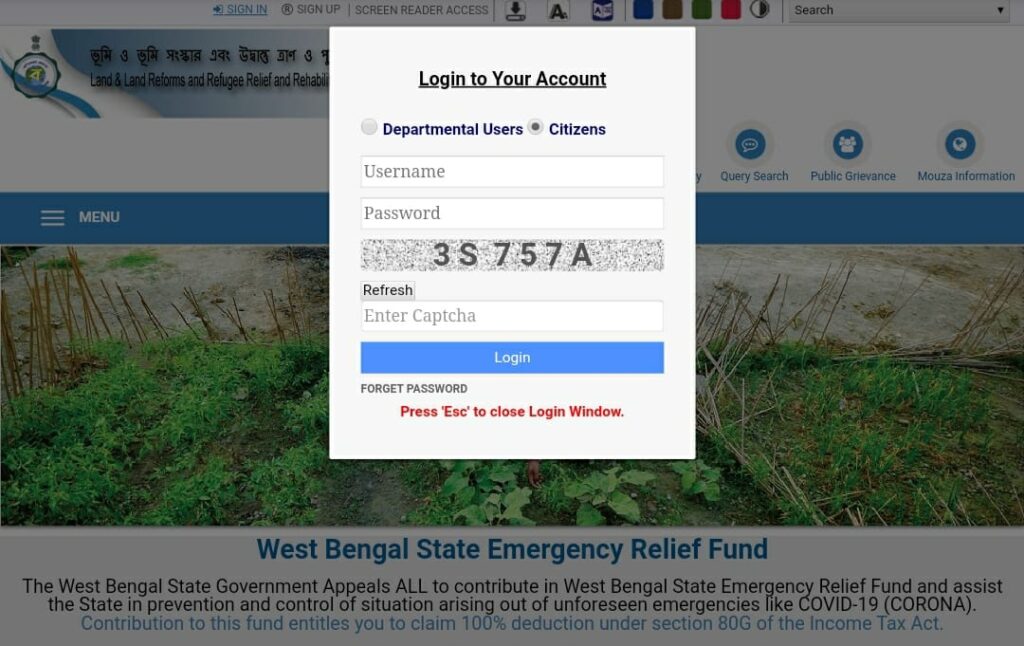
- First, go to the Banglarbhumi website at banglarbhumi.gov.in.
- Next, on the top of the screen, click on the ‘Sign In’ option.
- Next, enter your username and password.
- Next, enter the captcha code and click on the ‘Login’ option.
– ADVERTISEMENT –
– ADVERTISEMENT END –
Step 2: Open the plot map request form
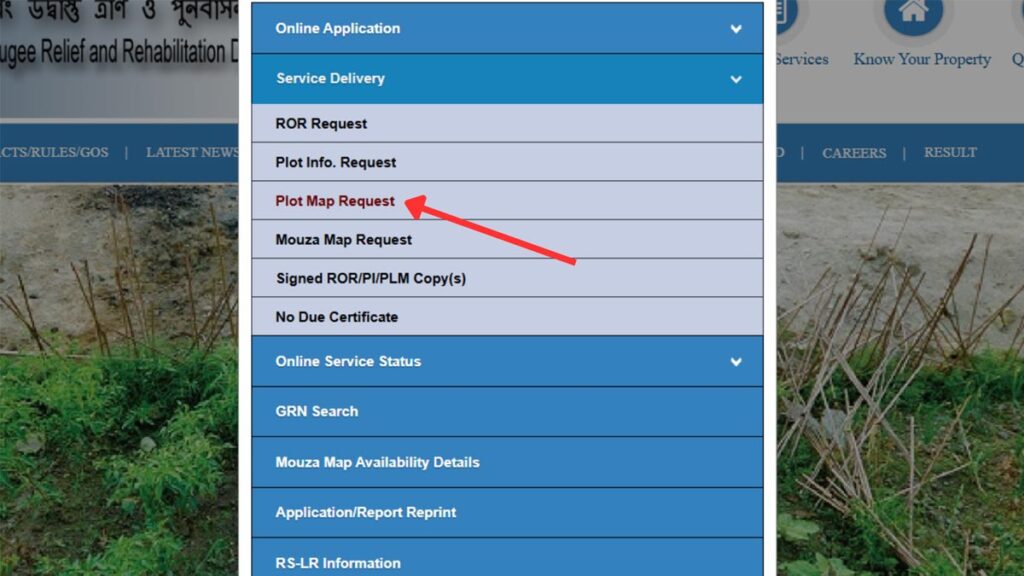
- After logging in, click on the “Citizens Service” option.
- Next, select the “Service Delivery” option.
- Next, click on the “Plot Map Request” option.
- A form will open up in front of you.
Step 3: Fill out and submit the plot map request form
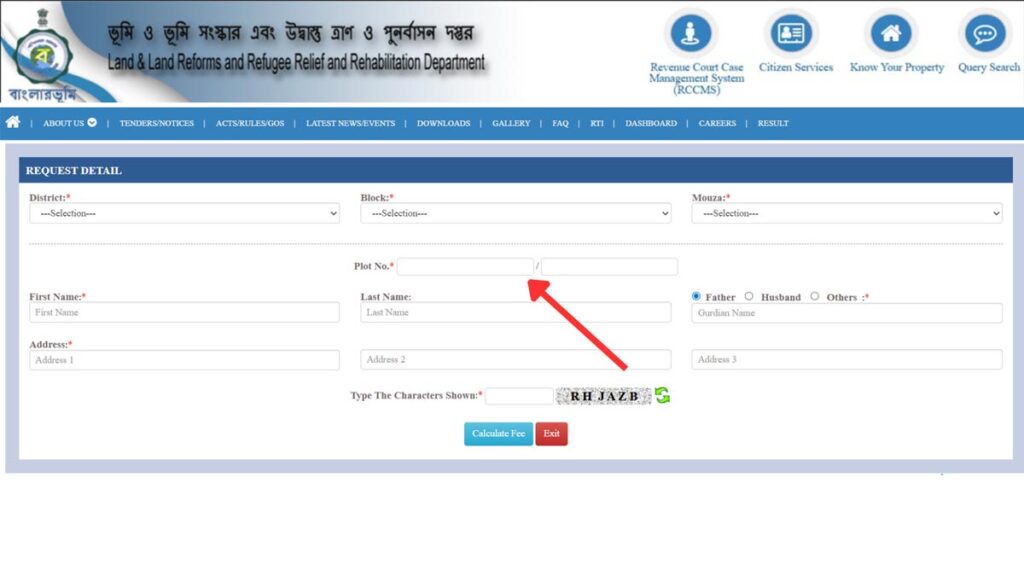
- Fill out the form correctly by entering the district, block, plot number, and other details.
- Next, enter the captcha code and then click on the “Calculate fee” button.
- Your process fee will appear in front of you.
- Next, you need to pay the processing fee to request plot map online.
– ADVERTISEMENT –
– ADVERTISEMENT END –
Step 4: Pay the plot request fee
- Select the preferred payment option and click on continue.
- Verify the details and click on continue.
- Verify some other details related to the payment option and then click on continue.
- A new GRN number will be generated. Click on submit.
- You will be asked to enter the payable amount. Enter it and click on confirm.
- You will be taken to the bank’s portal enter your details and complete the payment.
- After payment completion will be redirected to the Banglarbhumi portal.
- An acknowledgment receipt will be generated.
Your plot map request will be successfully submitted. You need to save the acknowledgment receipt to get your GRN number as you need it to download the plot map.
Next, you need to wait for 24 – 48 hours for your request to be processed. It may sometimes take a few days to be processed.
After that, you can follow the steps below to download your plot map of land/property.
Steps to download plot map in West Bengal
To download a plot map online,
Step 1: Go to the official website and login
- First, go to the Banglarbhumi website at banglarbhumi.gov.in
- Next, on the top of the screen, click on the ‘Sign In’ button.
- Next, enter your username and password.
- Next, enter the captcha code and click on the ‘Login’ button.
– ADVERTISEMENT –
– ADVERTISEMENT END –
Step 2: Open “GRN Search” page
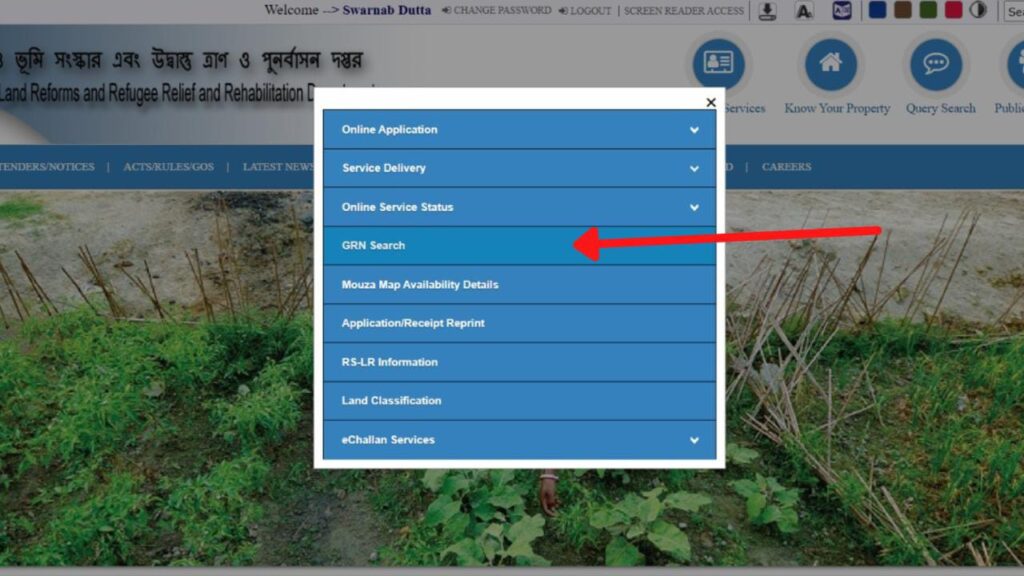
- After logging in, click on the “Citizens Service” option.
- Next, click on the “GRN Search” option.
- A form will open up in front of you.
Step 3: Enter GRIPS payment details
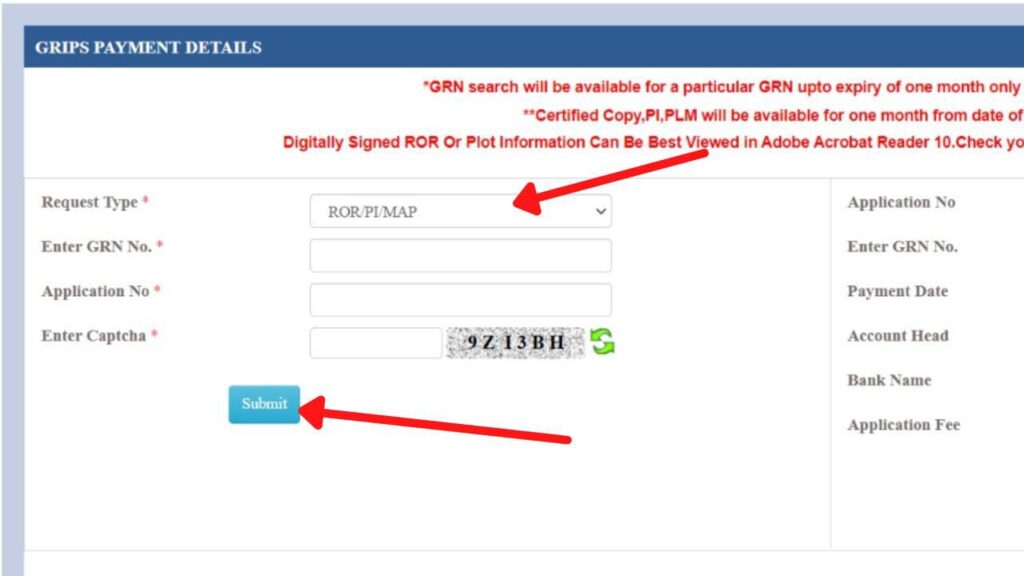
- In this form, select Request Type as ‘ROR/PI/MAP.’
- Next, enter GRN No. and Application number as per your Acknowledgment receipt generated during the plot map request.
- Next, enter the captcha code.
- Next, click on the ‘Submit’ button.
- Next, click on the ‘OK’ button.
- Next, click on the ‘Continue’ button.
– ADVERTISEMENT –
– ADVERTISEMENT END –
Step 4: Download plot map (PDF)
- A popup will appear. Click on the ‘OK’ button.
- Scroll down and click on the “Download PDF” button.
- Your plot map will be downloaded.
You can take a printout of this PDF if you want.
By following these steps you can easily download the plot map online after requesting it from the Banglarbhumi portal.