
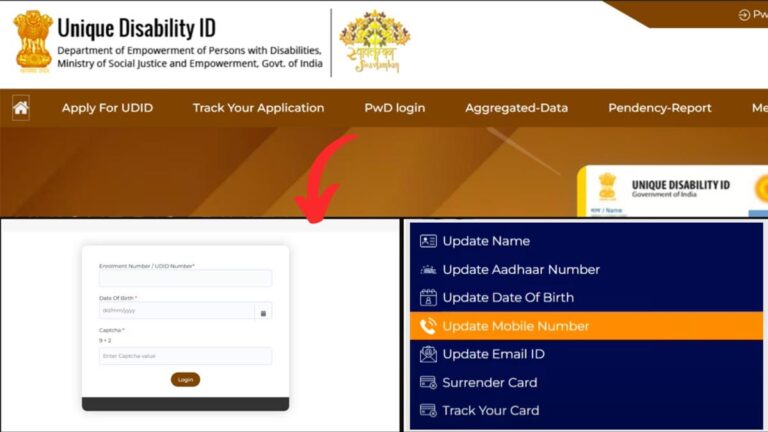
Anyone who holds a Unique Disability ID (UDID) card in India may, at times, need to update their mobile number linked with it.
The Ministry of Social Justice and Empowerment (MSJE) has made it convenient to update your mobile number in the UDID card database through their official portal swavlambancard.gov.in. This online facility ensures that beneficiaries do not have to visit government offices frequently and can easily manage their details from home.
– ADVERTISEMENT –
– ADVERTISEMENT END –
Through the UDID portal, you can also check the status of your application or corrections and download your updated UDID card once the changes are approved.
In this article, you will get to know how to update your mobile number in UDID online. The process is simple and just takes a few steps.
Steps to change mobile number in Unique Disability ID (UDID) Card
To change mobile number in your UDID card,
Step 1: Go to official website
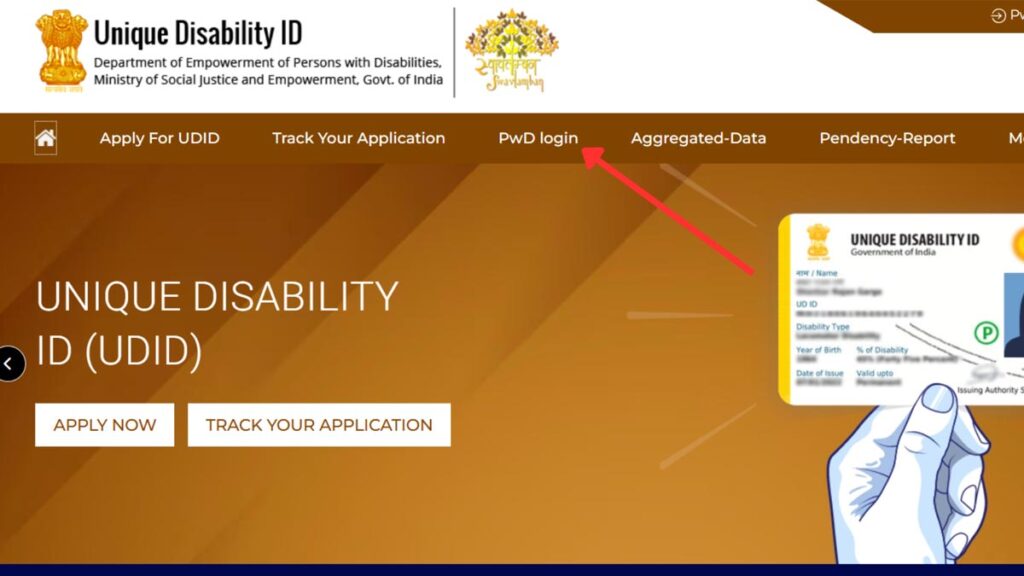
- First, go to the official website of Unique Disability ID at swavlambancard.gov.in.
- Next, click on the ‘PwD Login’ option.
- The login page will open.
Step 2: Login to the portal
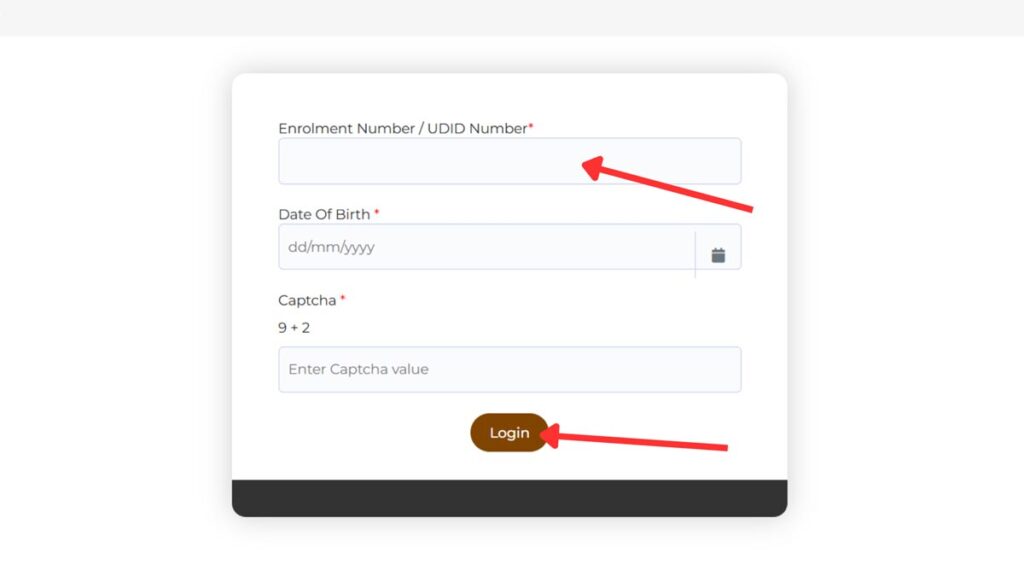
- Next, enter the ‘Enrolment Number/UDID Number’ in the specified field.
- Next, select the ‘Date of Birth’ from the specified field.
- Next, enter the ‘Captcha Code’ in the specified field.
- Next, click on the ‘Login’ button.
- You will be logged in to the portal.
– ADVERTISEMENT –
– ADVERTISEMENT END –
Step 3: Change mobile number
- Now, select the ‘Update Mobile Number’ option from the given options.
- The current mobile number will be shown on the screen.
- Next, enter the new number in the ‘Enter Revised Mobile’ field.
- Next, click on the ‘Generate OTP’ button.
- An OTP will be sent to the registered mobile number. Enter the OTP in the specified field.
- Next, click on the ‘Submit’ button.
Your mobile number will be changed successfully.
By following these steps, you can easily changed your registered mobile number in your UDID card online.